JavaScript Part 3
Making decisions with conditionals
Making decisions with conditionals
Let's pretend to be your wise but nagging grandmother right now:
All these things make logical sense to us as grown up humans but computers are a blank slate.
As a programmer, you try to give the computer the smarts to act on its own based on possible circumstances or events by using CONDITIONALS.
If Conditionals...
|
A basic conditional test looks like this: IF the weather is raining |
In JavaScript,
if ( weather == rain ) {
    bringUmbrella();
}
|
The round brackets ()
group together a condition to test.
The curly braces {}
group together a set of statements to execute.
Drill this into your head. Tattoo it to your arm! So many errors happen because of this key difference:
|
= assignment Store a value to a variable: var kitten = "Fluffy"; |
== equality Compare a value to another value: if ( kitten == cat ) |
If ConditionalsSometimes it can be rainy but warm, or rainy and cold. You react to each thing individually.
Use several if statements when you're testing mutually inclusive scenarios.
IF the weather is raining |
In JavaScript...
if ( weather == rain ) {
    bringUmbrella();
}

if ( temperature < 10 ) {
    wearSweater();
}
|
if/else ConditionalsSometimes there's a catch-all state that you want to happen if your previous tests don't happen.
IF the weather is raining |
In JavaScript...
if ( weather == rain ) {
    bringUmbrella();
}else{
    dressNormally();
}
|
if/else if/else ConditionalsIt shouldn't snow and rain at the same time so sometimes these conditions are mutually exclusive.
IF the weather is raining |
In JavaScript...
if ( weather == rain ) {
    bringUmbrella();
}else if ( weather == snow ) {
    wearWarmBoots();
}else{
    dressNormally();
}
|
A basic conditional that your browser does internally is a react to mouse clicks on a HTML element.

<button onclick="animate()">Pull</button>
IF a user has clicked on a button
THEN call the animate() function.
Notice how the brush acts when you speed up / slow down, or get close to other lines. You can even change brushes.

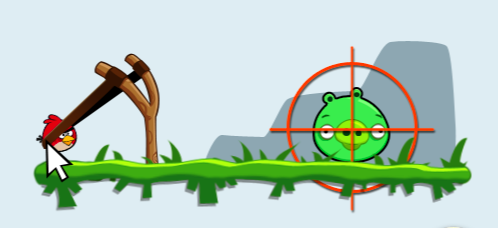
(Notice how the birds fly differently based on how far you pull them back in the slingshot, and in what direction.)
| If Statement | If...else statement | If...else if...else statement |
|---|---|---|
if (condition) {
|
if (condition) {
|
if (condition) {
|
What does a condition actually look like?
if ( condition ) { ... }
Let's try also comparing Booleans using variables, Numbers, and Strings.
Here's a cheat sheet of different operators that can be used in conditional statements.
Using these two variables, var two = 2 and var ten = 10 , the examples below show how the statements would return true using the various operators.
| Comparison operators | ||
|---|---|---|
| == | is equal to | ten == two * 5 |
| === |
is exactly equal to
(value and type) |
ten === 10
ten === "10" (false) |
| != | is not equal to | ten !== two |
| > | greater than | ten > two |
| < | less than | two < ten |
| >= | greater than or equal to |
ten >= two * 5
ten >= two * 5 + 1 |
| <= | less than for equal to |
two
<= ten
two <= 2 |
| Logical operators | ||
|---|---|---|
| && | and | (ten < 11 && ten > 9) |
| || | or | (ten == 10 || two == 2) |
| ! | not | !(ten == two) |
Let's look at some examples. What do you think the output will be? Uncomment the code to be executed for each condition to see if the result is what you expected. Try changing the variable values too!
Now that we know what variables, operators and conditionals are, let's put them all into action using dynamic content.
Uh-oh! Someone can attempt to put a negative number of products in their shopping cart! (This is based on the previous Quantity mini-exercise so it should look very familiar!)
1. Use a conditional test to avoid a negative quantity. Typically this involves comparing against the number 0 and you can go about it in a few ways with the same result.
2. Similarly, warn the user that they are attempting to check out with an empty basket.
3. Bonus: Practice your concatention and display the price using a dollar sign.
If you get stuck, click here for the full solution.
Or if you want to reset, click here for the original code.
Let's revisit the shipping information form again -- however you don't want someone to be able to submit their order if they haven't filled out their address!
You have been supplied with 1 variable (address). After you press the "Check out now!" button, address which will automagically update to what is typed into the text field.
1. Use a conditional test so someone cannot supply a blank address.
Hint: If you don't type anything into the address field, you get an empty string. Remember that an empty string is simply two quotes with nothing inbetween them. e.g. var emptyString = "";)
If you get stuck, click here for the full solution.
Or if you want to reset, click here for the original code.
Now here's a more complex shipping form that require four fields to be filled in.
You have been supplied with 3 additional variables: name, city, and postal.
If you get stuck, click here for the full solution.
Or if you want to reset, click here for the original code.