JavaScript Part 5
The DOM and manipulating objects on a HTML page
The DOM and manipulating objects on a HTML page
Think about your HTML web page (your "browser document") as being made up of many blocks.
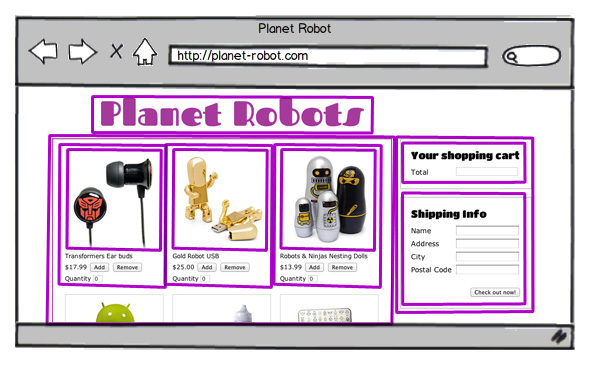
Some blocks are defined by the browser, such as the browser window.
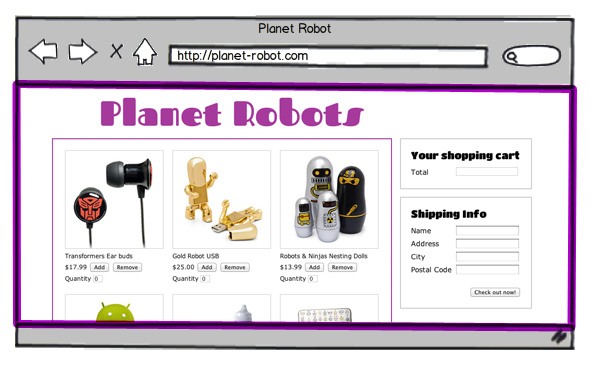
And some blocks we make ourselves via HTML
(e.g. <fieldset>, <div>, and <img> HTML tags).
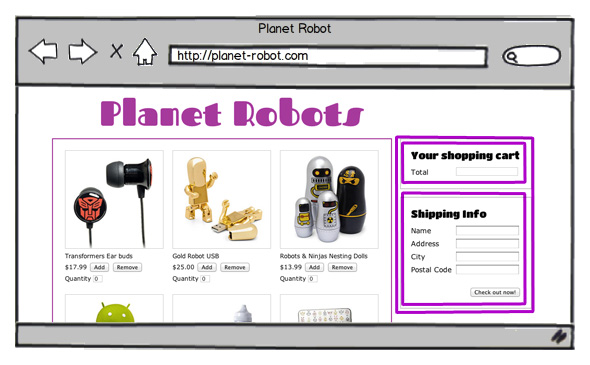
All of these blocks are objects -- just like the ones we covered earlier! And all these objects have pre-written functions/methods you can use.
Does the line of code below make more sense now? document is one of the main objects of a web page and it has a method named write that accepts a string as a parameter. document has lots of other properties and methods too: check out this list.
The most common thing you'll do with JavaScript is get references to your HTML tags ("elements") via document.getElementById().
Important! Your HTML tag must have an id attribute in order to do this!
<div id="status">
  <p>Loading...>/p>
  <p><img src="assets/loading.gif"></p>
</div>
For example, let's get a reference to the "status" div element by using document.getElementById(). Then confirm this by dynamically reading all the HTML in it using the innerHTML property.
(You can find all the things you can do with elements here.)
You can also use innerHTML to replace what's already in an element.
Or let's dynamically swap out one image for another by updating the src attribute of an image tag.
Typing document.getElementById() gets tedious after a while so many people will use a JavaScript library to make repetive tasks easier.
With the jQuery library:
  document.getElementById("status")

  document.getElementById("robot")
$("#status")

$("#robot")
Just remember that it is still JavaScript under the hood!